Redesigning a robot programming interface to reduce errors.

*To respect NDA restrictions this case study has been anonymized

The Essentials

The Essentials

The Essentials

What were my roles?

Stakeholder management, UX Research, UX Design, UI Design, Usability Testing

Who were the users?

Automation Engineers (Senior & Junior) who use JSON code for up to 8 hours per run

What was the problem?

Slow and error-prone process for creating JSON "runs", leading to hours of debugging.

What was the solution?

Redesigned UI for modular JSON creation, reducing manual coding and errors. A brand new testing environment for users to iterate on their code safely.

What was the business?

Multinational biotechnology company researching mRNA vaccines using liquid handling robots

What was unique?

Niche app servicing a small team that uses this tool every day. Users had a deep knowledge of robotics. Special requirements arose frequently.
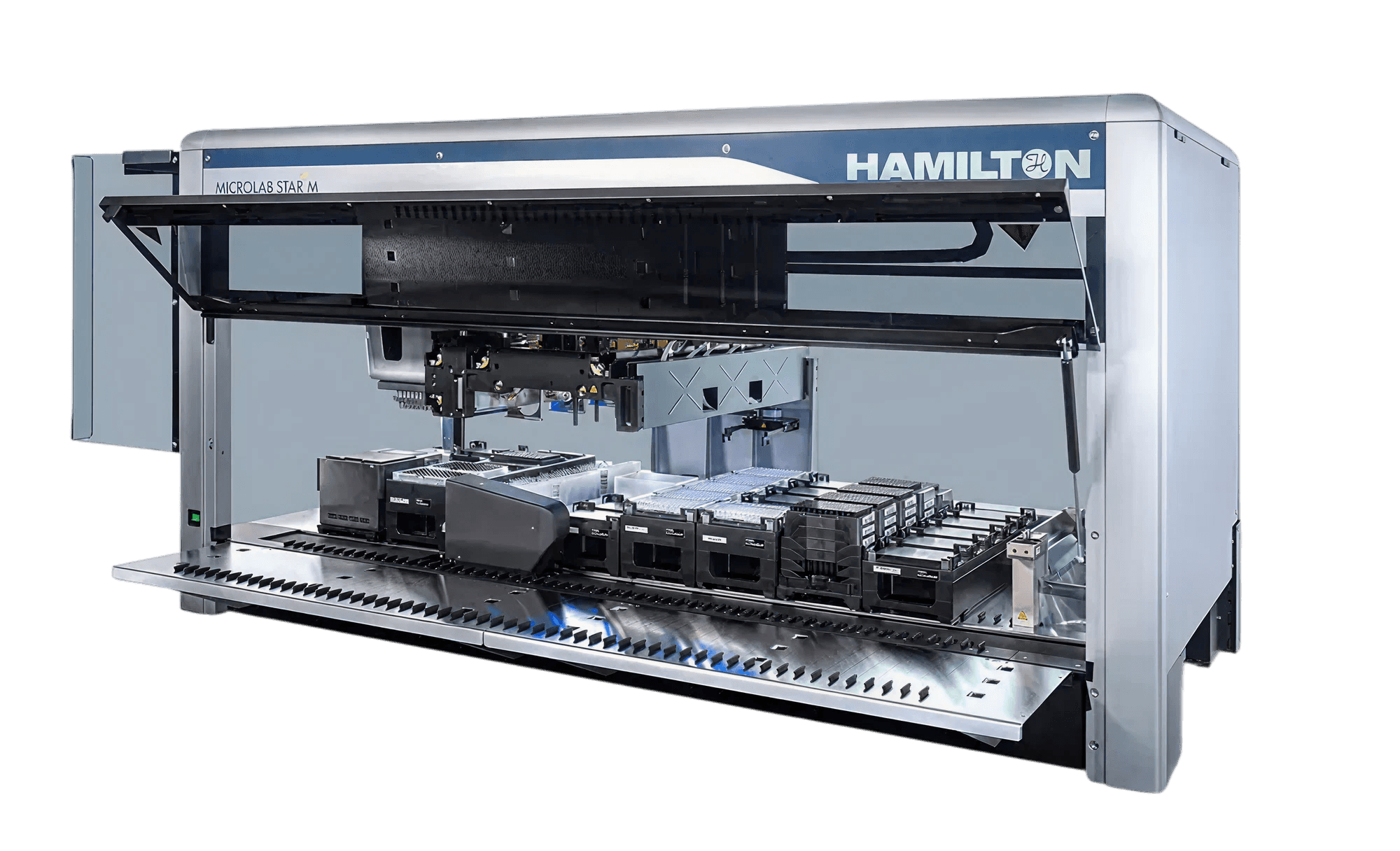

This is what the engineers are programming!

This is what the engineers are programming

Define & Research

Define & Research

Define & Research

"Most of the time the problem is that someone mistypes and we spend hours and hours to figure it out."

"Most of the time the problem is that someone mistypes and we spend hours and hours to figure it out."

Automation team member

Automation team member

Automation team member

Engineers were spending ~8 hours per run coding instructions in JSON. This was highly inefficient and prone to human error, creating a bottleneck in the research pipeline.

Contextual inquiry

Contextual inquiry

I conducted interview sessions with the engineering team to get an understanding of their workflows and identify issues early. Questions included:

  1. How do they create and manage runs?

  2. How do they collaborate or not with each other?

  3. Where are their errors and inefficiencies in their experience?
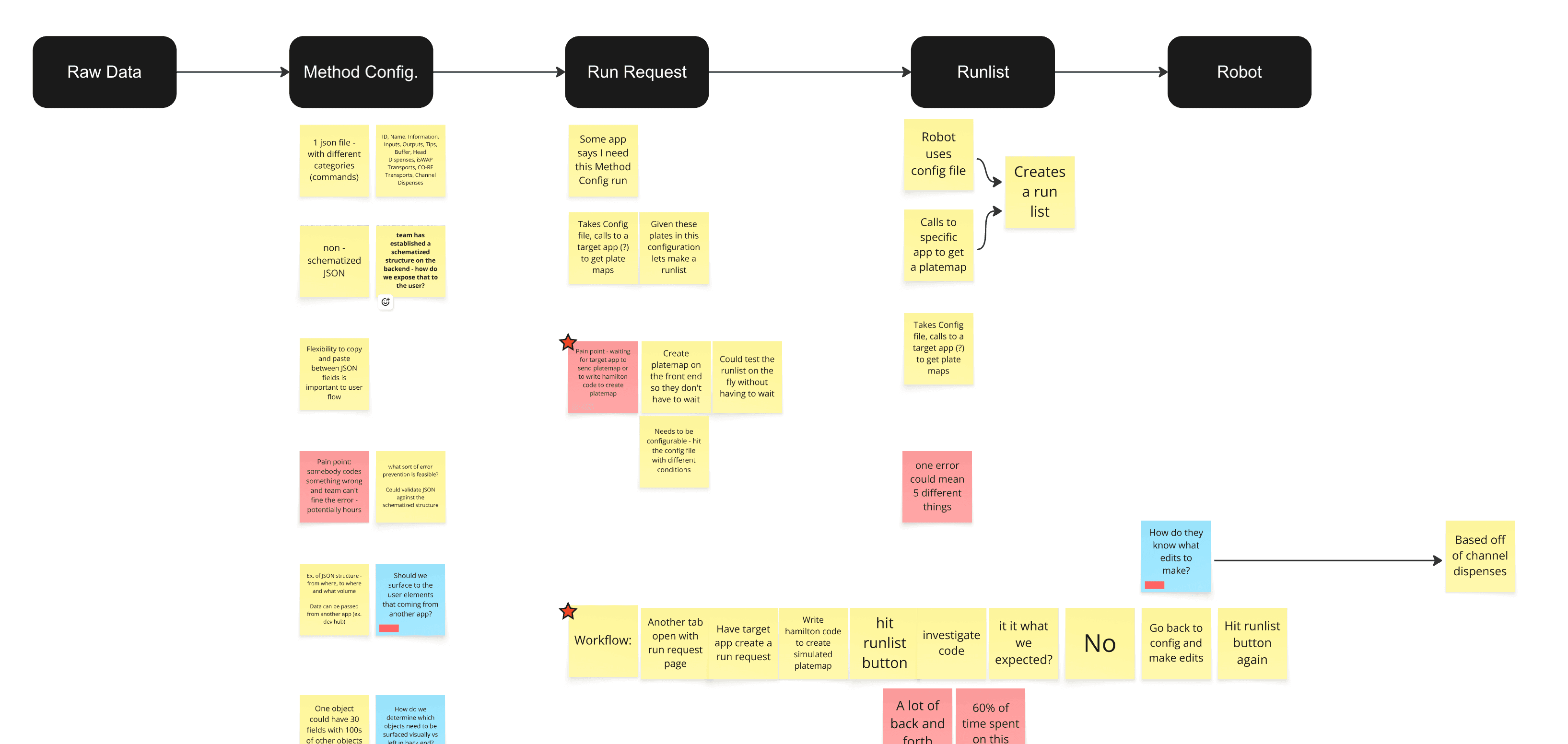
User Flow Analysis
User Flow Analysis
User Flow Analysis

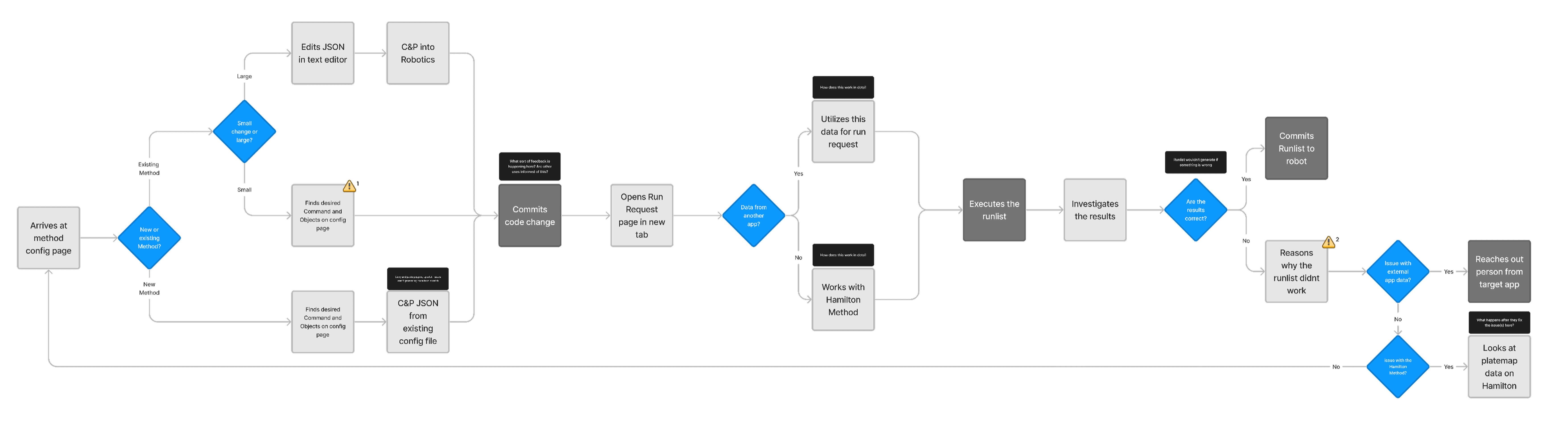
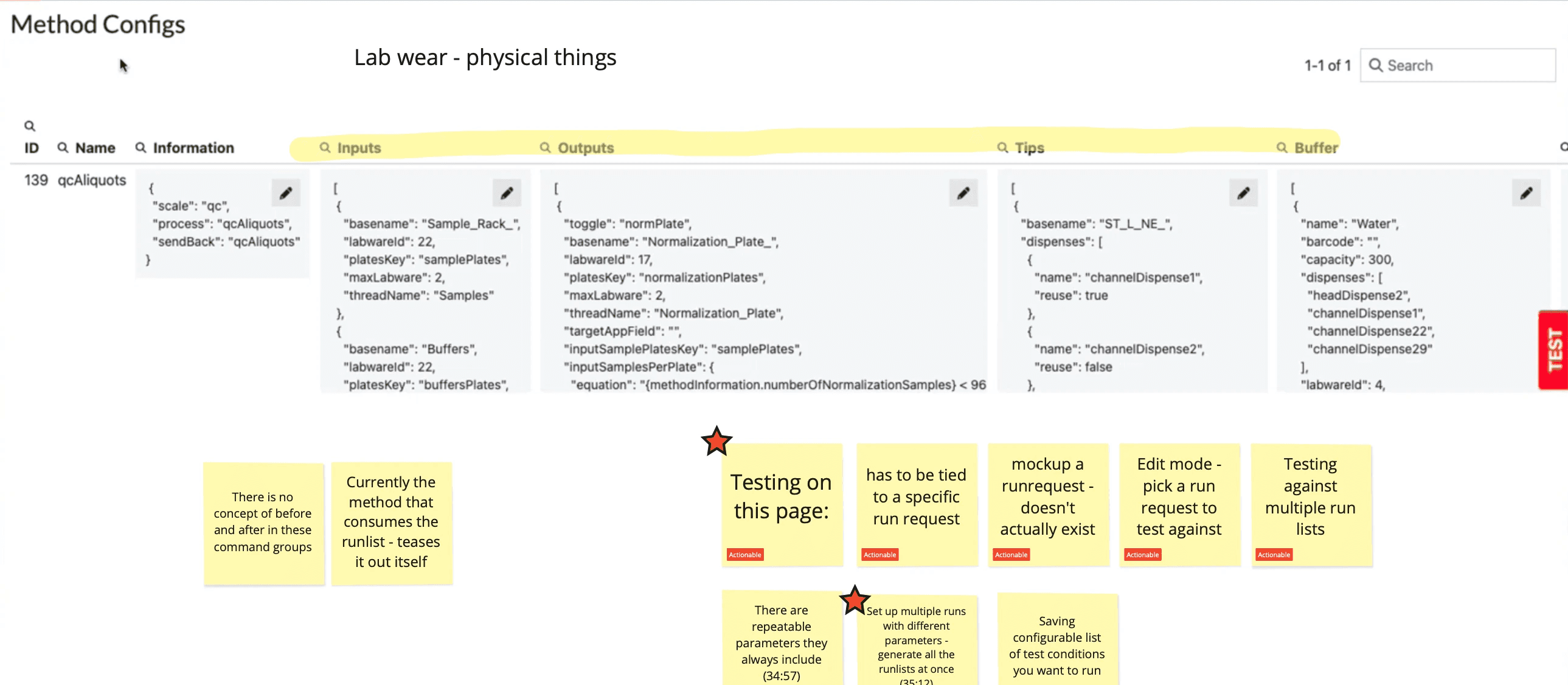
My user flow analysis in Miro

Into the robotics rabbit hole

Into the robotics rabbit hole

Time was spent immersing myself in the client's industry. Focus areas were complex table and application design, JSON fundamentals and competitors
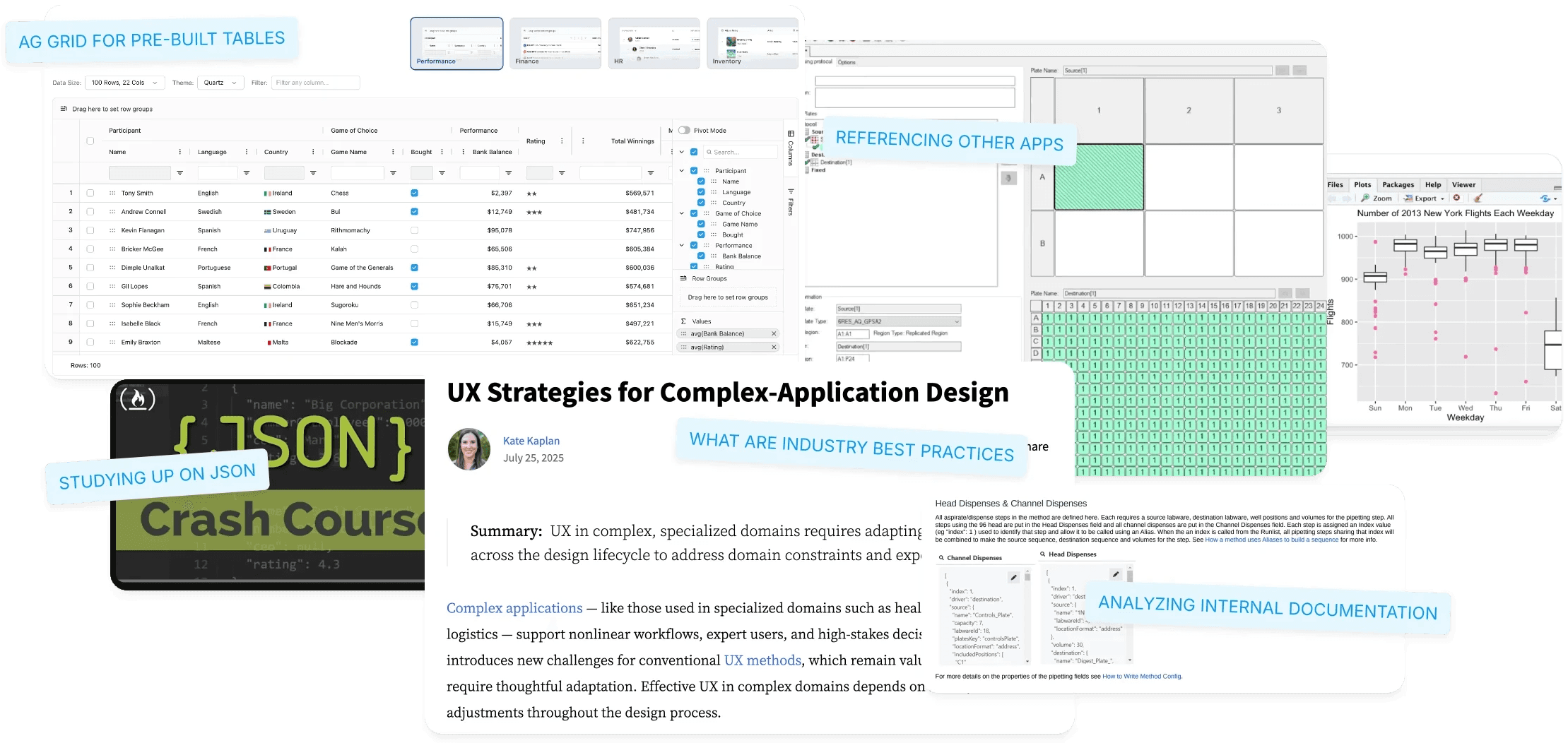
Highlight: Speak the language of your users

Speak the language of your users

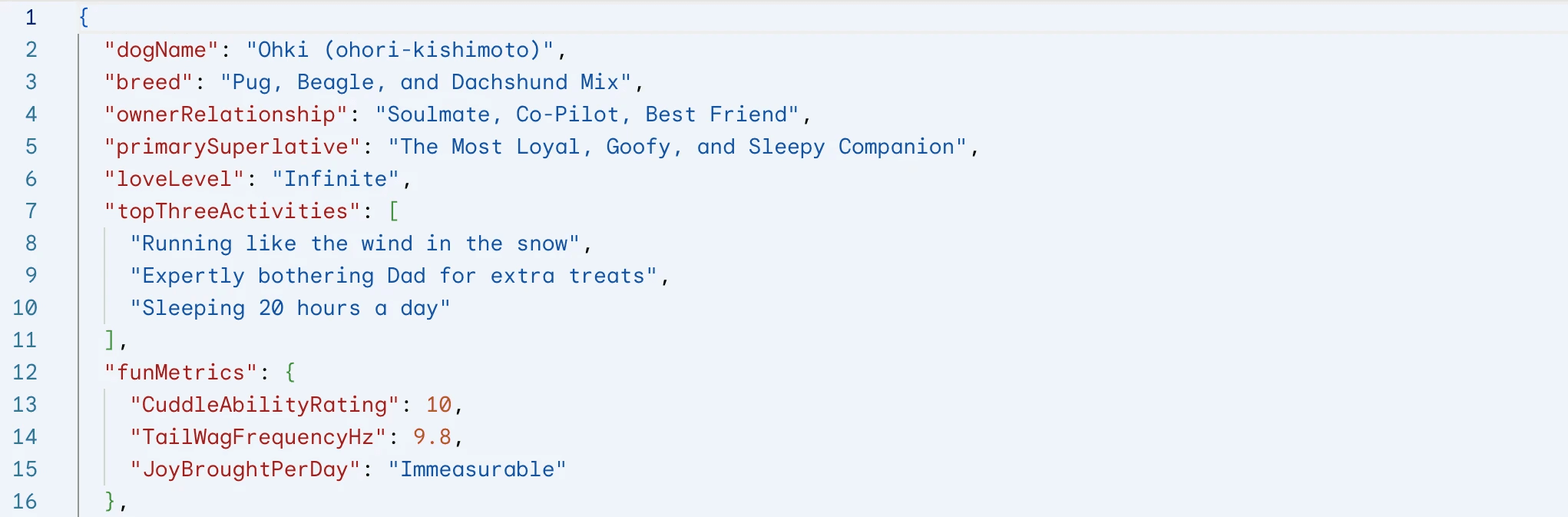
Learning the basics of JSON helped me understand our users better. It improved my communication and made it easier to work together with the engineers.
His genuine curiosity and enthusiasm to learn the necessary technical details really set him apart from others that I have worked with.

His genuine curiosity and enthusiasm to learn the necessary technical details really set him apart from others that I have worked with.

Director of Software Engineering

Deliverable: User Journey Map

Deliverable: User Journey Map

Deliverable: User Journey Map

An in-depth user flows of how engineers currently interface with Robotics.
This aided me in posing questions to the client team and identify risk areas for users. (⚠️)

In-depth user flow of how engineers currently interface with Robotics.
This aided me in posing questions to the client team and identifying risk areas for users. (⚠️)

Current State User Flow Diagram

Click to expand!

Click to expand!

Design and Testing

Design and Testing

Design and Testing

🎯 What were my design goals?

🎯 What were my design goals?

🎯 What were my design goals?

The discovery process outlined above identified the following to focus our design efforts.

The discovery process outlined above identified the following to focus our design efforts.

Reduce manual JSON coding efforts

Reduce manual JSON coding efforts

Reduce manual JSON coding efforts

Move from free-form JSON entry to a structured, guided approach.

Create a new testing area

Create a new testing area

Create a new testing area

Implement native functionality to validate and iterate on code before deployment.

Modernize visual organization of screens 

Modernize visual organization of screens 

Modernize visual organization of screens 

Improve the visual clarity and overall user experience of the screens.
Iterate, Iterate, Iterate

Iterate, Iterate, Iterate

Iterate, Iterate, Iterate

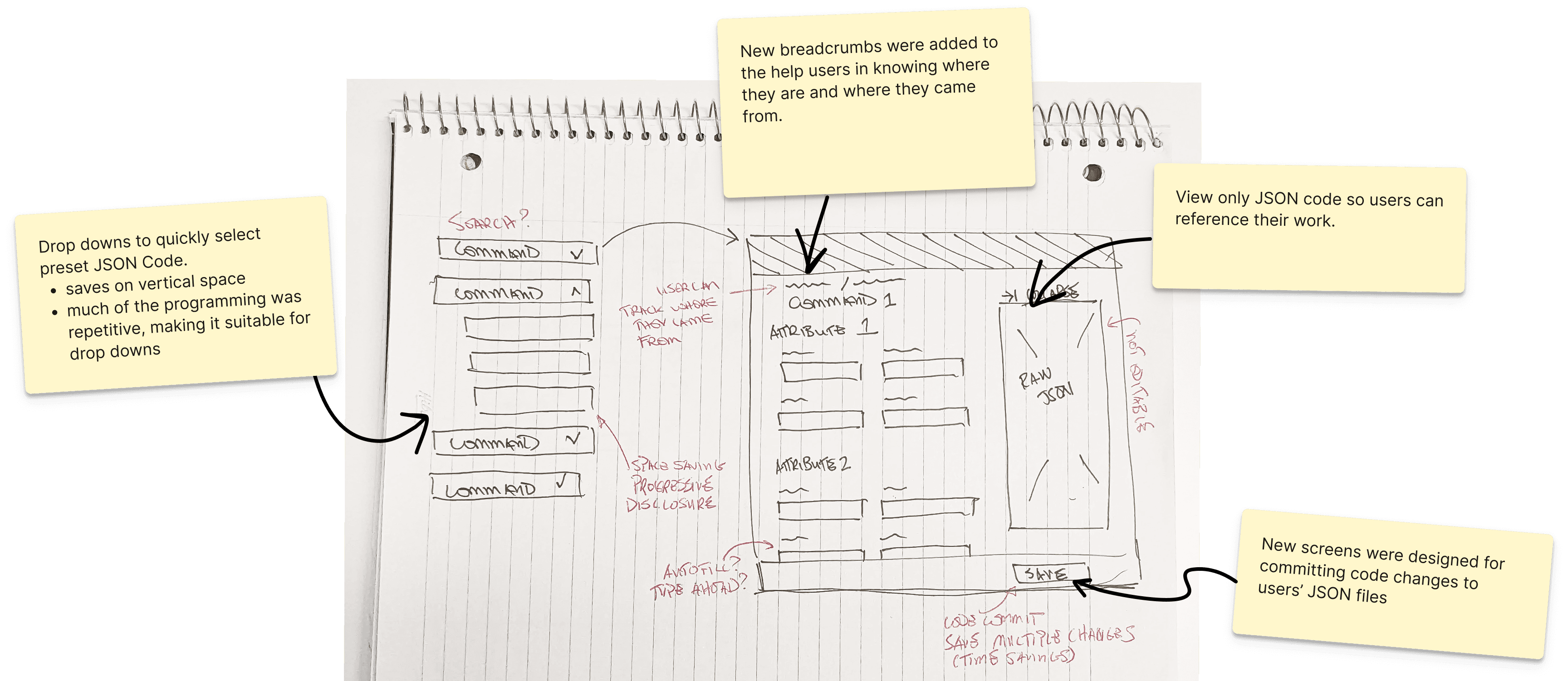
My design goals, user insights, and competitive analysis led to draft options for review. The approach was to explore widely before narrowing our focus together. 

👇 Below is one that closely resembles the final designs👇

My design goals, user insights, and competitive analysis led to draft options for review. The approach was to explore widely before narrowing our focus together. 

Below is one that closely resembles the final designs👇

Sketch of my design
Sketch of my design
Sketch of my design

Goal #1: Reducing Manual Coding

Goal #1: Reducing Manual Coding

Goal #1: Reducing Manual Coding

Modular Construction: The application was redesigned allowing engineers to select from common pre-validated JSON and build their run incrementally using form fields and drop-downs.

Modular Construction: The application was redesigned allowing engineers to select from common pre-validated JSON and build their run incrementally using form fields and drop-downs.

✅ Outcome: This drastically reduces errors and accelerates the process for novice users.
Highlight: Expert vs Novice Users

Expert vs Novice Users

Experts desired speed, novice engineers desired more help.  Creating a solution which addressed these contrasts was difficult.

Experts desired speed, novice engineers desired more help.  Creating a solution which addressed these contrasts was difficult.

This resulted in a balance between speed and accuracy. 

  • The dropdown format enables experts to quickly locate the required JSON component, while preventing novices from making common coding mistakes.

This resulted in a balance between speed and accuracy. 

  • The dropdown format enables experts to quickly locate the required JSON component, while preventing novices from making common coding mistakes.

Before - Main Runlist Page

Users were reliant on text fields for their JSON.  Error validation was limited, overwhelm was high.

After - Main Runlist Page

On the new main page, users can switch between a (1) Compact View, which displays various runlist attributes, such as the owner and ID and a (2) Detailed View that shows all the code.

On the new main page, users can switch between a (1) Compact View, which displays various runlist attributes, such as the owner and ID and a (2) Detailed View that shows all the code.

Why start from scratch?

A cloning feature allows users to build on a previously constructed run. This saves time and ensures pre-validated code. This function was vetted with the tech team.

A cloning feature allows users to build on a previously constructed run. This saves time and ensures pre-validated code. This function was vetted with the tech team.

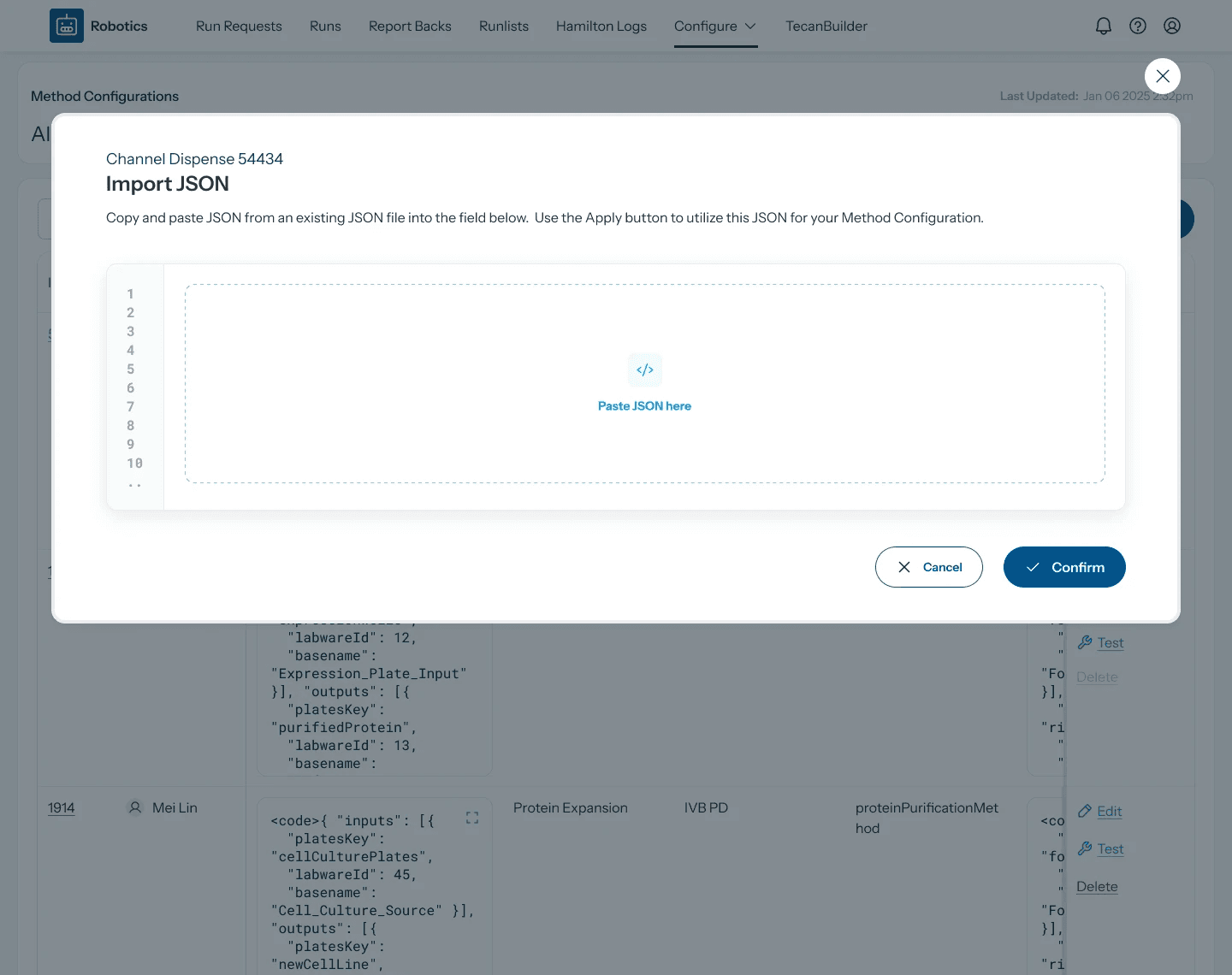
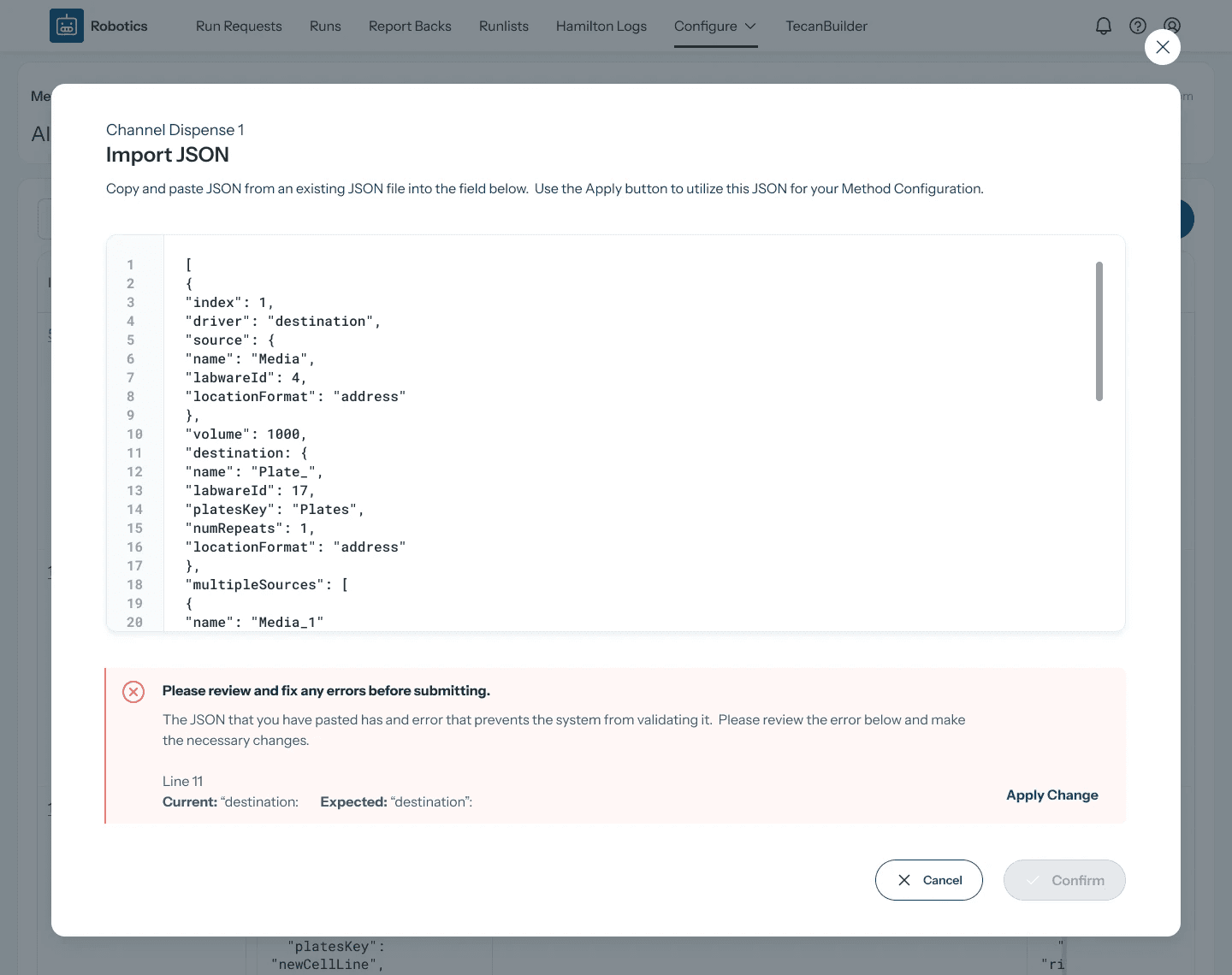
Users still can import code from external platforms. The system validates it based on organizational guidelines. 👇
Goal #2: Brand New Testing Environment

Goal #2: Brand New Testing Environment

Goal #2: Brand New Testing Environment

  • Dual Test Formats: Users can perform a Custom test (starting from scratch) or a Connected test (starting from an existing, deployed run).

  • Targeted Feedback: When an error is detected, the JSON section is highlighted with guidance to help the engineer find and fix the issue.

  • Merging test results: I went beyond the requirements, designing a merge for changes from test results into a main JSON file.

  • Dual Test Formats: Users can perform a Custom test (starting from scratch) or a Connected test (starting from an existing, deployed run).

  • Targeted Feedback: When the system detects an error, the corresponding JSON section is highlighted with contextual guidance to help the engineer quickly find and fix the issue.

  • Merging test results: I went beyond the existing requirements, creating a design for speeding up the coding process by merging changes from test results into a main JSON runlist file

  • Dual Test Formats: Users can perform a Custom test (starting from scratch) or a Connected test (starting from an existing, deployed run).

  • Targeted Feedback: When the system detects an error, the corresponding JSON section is highlighted with contextual guidance to help the engineer quickly find and fix the issue.

  • Merging test results: I went beyond the existing requirements, creating a design for speeding up the coding process by merging changes from test results into a main JSON runlist file

Outcome: de-risks deployment by allowing engineers to stress-test runs and iterate on parameters like breakpoints without needing external tools.

✅ Outcome: de-risks deployment by allowing engineers to stress-test runs and iterate on parameters like breakpoints without needing external tools.

✅ Outcome: de-risks deployment by allowing engineers to stress-test runs and iterate on parameters like breakpoints without needing external tools.

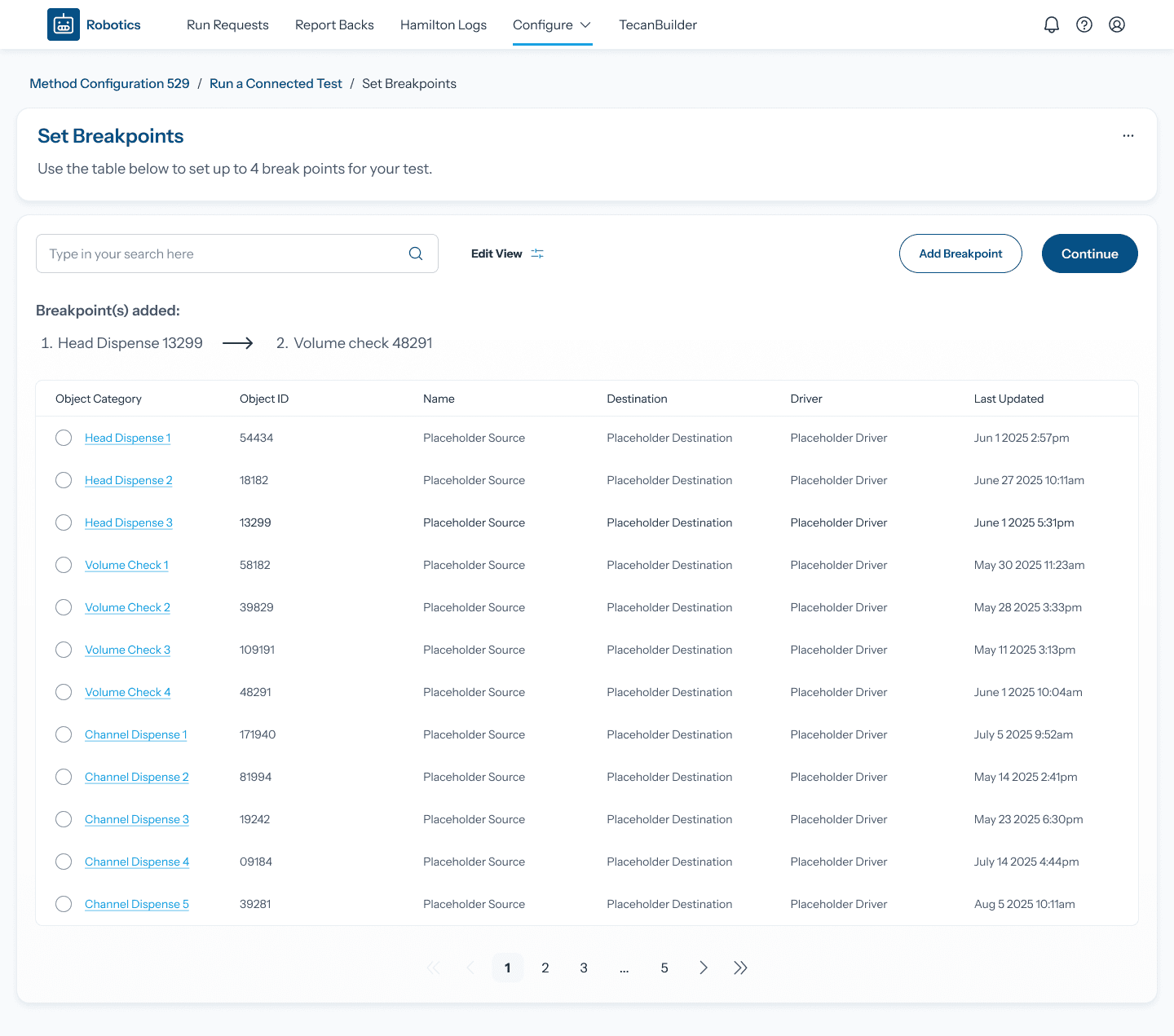
Setting Breakpoints

Setting Breakpoints

Users can pick a step of their JSON to run the test up to. This helps with iteration and error detection.

Users can pick a step of their JSON to run the test up to. This helps with iteration and error detection.

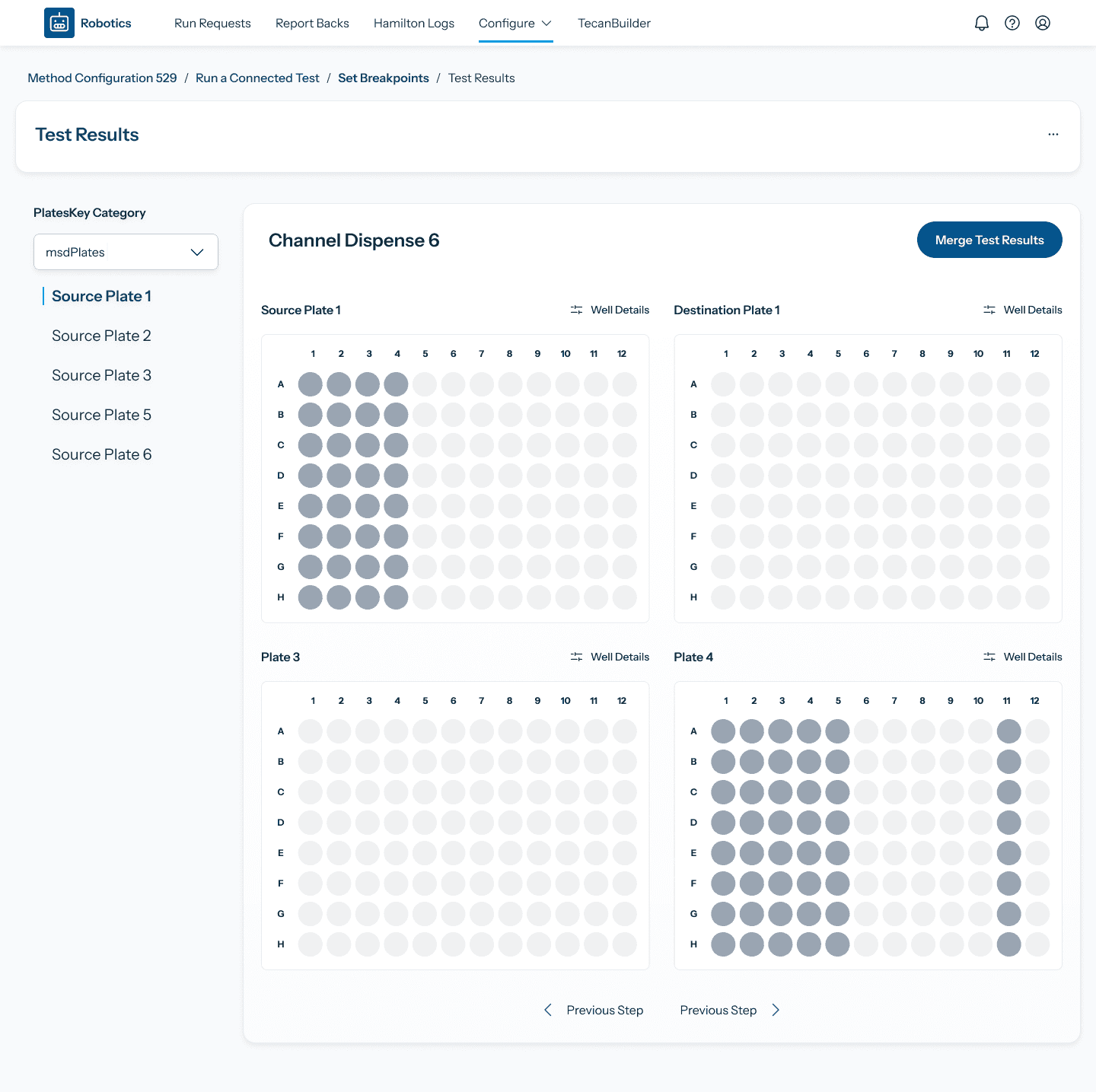
Moving through test results

Moving through test results

Users can quickly switch between steps in the test, with visual plate map diagrams.

Users can quickly switch between steps in the test, with visual plate map diagrams.

I'd love to share everything over a coffee or a call :)

I'd love to share everything over a coffee or a call :)

I'd love to share everything over a coffee or a call :)

Feel free to reach out: theoarbez@gmail.com

Feel free to reach out: theoarbez@gmail.com

Usability Testing + Iteration

Usability Testing + Iteration

Usability Testing + Iteration

I tested the designs in wireframe format with 5 of the 12 engineers on the team. The focus was on validation of our interface updates and identification of any improvements.

Highlight: Advocating for Usability Testing

Highlight: Advocating for Usability Testing

How did I successfully include testing when it was NOT originally in scope? Here’s what I communicated to the client: 

How did I successfully include testing when it was NOT originally in scope? Here’s what I communicated to the client: 

  • Risk Reduction: Let’s find problems early before development starts

  • Identifying further improvements: testing consistently brings up unexpected insights

  • Internal Buy-in: upper management support is more likely if designs have been vetted 

  • Risk Reduction: Let’s find problems early before development starts

  • Identifying further improvements: testing consistently brings up unexpected insights

  • Internal Buy-in: upper management support is more likely if designs have been vetted 

  • Risk Reduction: Let’s find problems early before development starts

  • Identifying further improvements: testing consistently brings up unexpected insights

  • Internal Buy-in: upper management support is more likely if designs have been vetted 

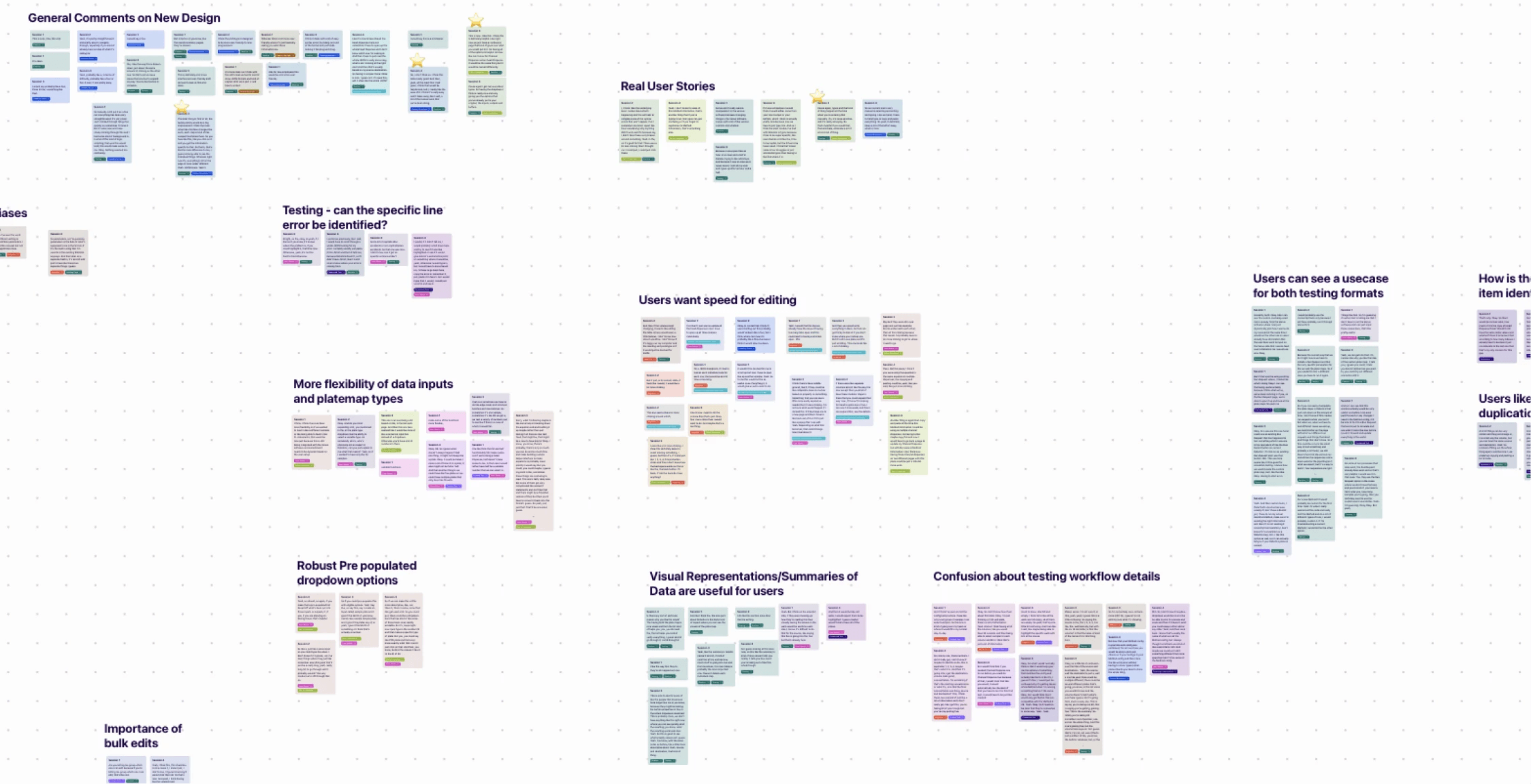
Results were affinity mapped using dovetail and conducted through Teams

Results were affinity mapped using dovetail and conducted through Teams

Results were affinity mapped using dovetail and conducted through Teams

What was discovered?

Prioritization of speed

Expert users had concerns that the redesign would slow them down. We added the ability to import JSON and have the system verify it against internal standards.

More diversity of pre-set inputs:

These were taken into account and will be tracked and added to the roadmap

  • Ex. Alternate platemaps and more drop-down options

Testing Environment too conceptual

In response I designed a merge functionality for the test results. See below 👇

🤔 How did I iterate based on the feedback?

🤔 How did I iterate based on the feedback?

I designed a merge functionality for users, allowing them to integrate their test results directly into their existing runlists.

Positive Feedback from Testing

“I think it's really easy and it takes away a lot of the manual work that we've been doing.”

“Like for new employees this would be a lot more user friendly.”

“The main thing is the testing ability would be a big improvement.”

"the dropdown I think is really nice..only giving you the options that you've already put in"

Outcomes and Reflections

Outcomes and Reflections

Outcomes and Reflections

✅ Successes

All three goals were satisfied: 1. Reduce Manual Coding, 2. Create a new testing area, 3. Modernize the visual organization of screens 

They were provided with a complete set of dev ready UI designs to get the ball rolling.

🗺️ Opportunities

Improved, more targeted error highlighting with clearer guidance.

The ability to "templatize" entire runs (not just individual steps) to save even more time.

A robust alerts and commenting system to promote collaboration and version control between users.